MindThread 是你的 Threads 自動化平台:AI 自動回覆、多帳號排程發文、自動海巡主動互動
業務員的 Threads 自動駕駛 · AI Voice Wizard。你的 Threads 不需要你在線:人可以自己操,也可以讓 agent 接 API;授權、額度、暫停都在你這邊,帳號不會直接交給模型。註冊送 7 天 Connect(營運)試用 · NT$990/月起 · 房仲、保險、金融、貸款合規導向文案範本
留言黃金 3 分鐘內 AI 自動回覆 · 多帳號排程發文 · 週報數據分析,核心功能建立在 Meta 官方 Threads Graph API 與 OAuth 2.0 上,不需要你的密碼。另有選用的自動海巡,主動幫你留言、按讚、發文,跑在你自己的瀏覽器擴充、屬平台條款灰色地帶(詳見下方揭露)。
7 天 Connect 等級試用 · 無需信用卡 · 隨時可取消 · 年繳約 9 折
為什麼選 MindThread?
手動經營 Threads 很吃時間:盯留言、想文案、排發文、主動互動樣樣要人顧。MindThread 把這些自動化,讓你把心力放回產品與內容本身。MindThread 由台灣傲創實業(Ultra Creation)打造。
- 官方 API 這條線(發文、排程、回覆、數據)走 Meta 官方 Threads API 與 OAuth 2.0,是官方開放的用法,不需要你的 Threads 密碼;內容違反 Meta 規範一樣可能被限制
- 另有選用的「自動海巡」,主動幫你把帳號帶到潛在客戶面前(跑在你自己的瀏覽器擴充,屬平台條款灰色地帶,需自行開啟,詳見下方說明)
- 多帳號共用一份海巡額度池,伺服器逐則即時生成內容,不是罐頭句
核心功能
- AI 自動回覆(Auto-Reply):每則留言都在黃金 3 分鐘內回覆,自訂品牌語調,AI 理解上下文,回覆像真人一樣自然。
- 自動海巡(Auto-Patrol):不只等人上門,AI 主動掃描 Threads 上符合你主題與關鍵字的貼文,切題留言、順手按讚,把陌生流量變成你的訪客。詳見下方「自動海巡」說明。
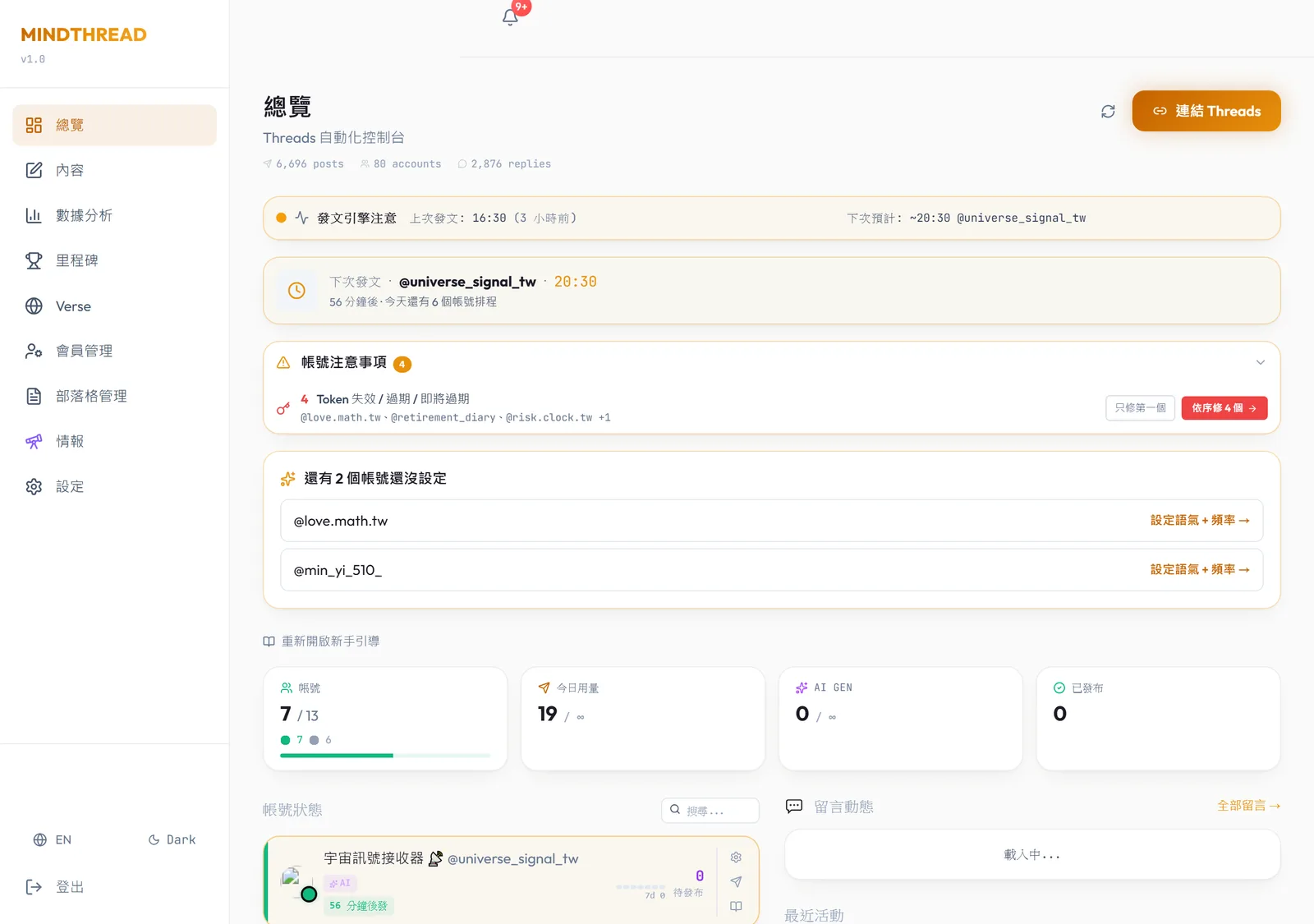
- 多帳號集中管理(Multi-Account):1 到 50 個帳號,同一個後台。每個帳號獨立人設、獨立排程、獨立數據,一鍵切換。
- AI 文案引擎(Content Engine):基於 Google Gemini,設定品牌人設後持續產出符合你風格的貼文,支援批次生成與文案庫排隊。
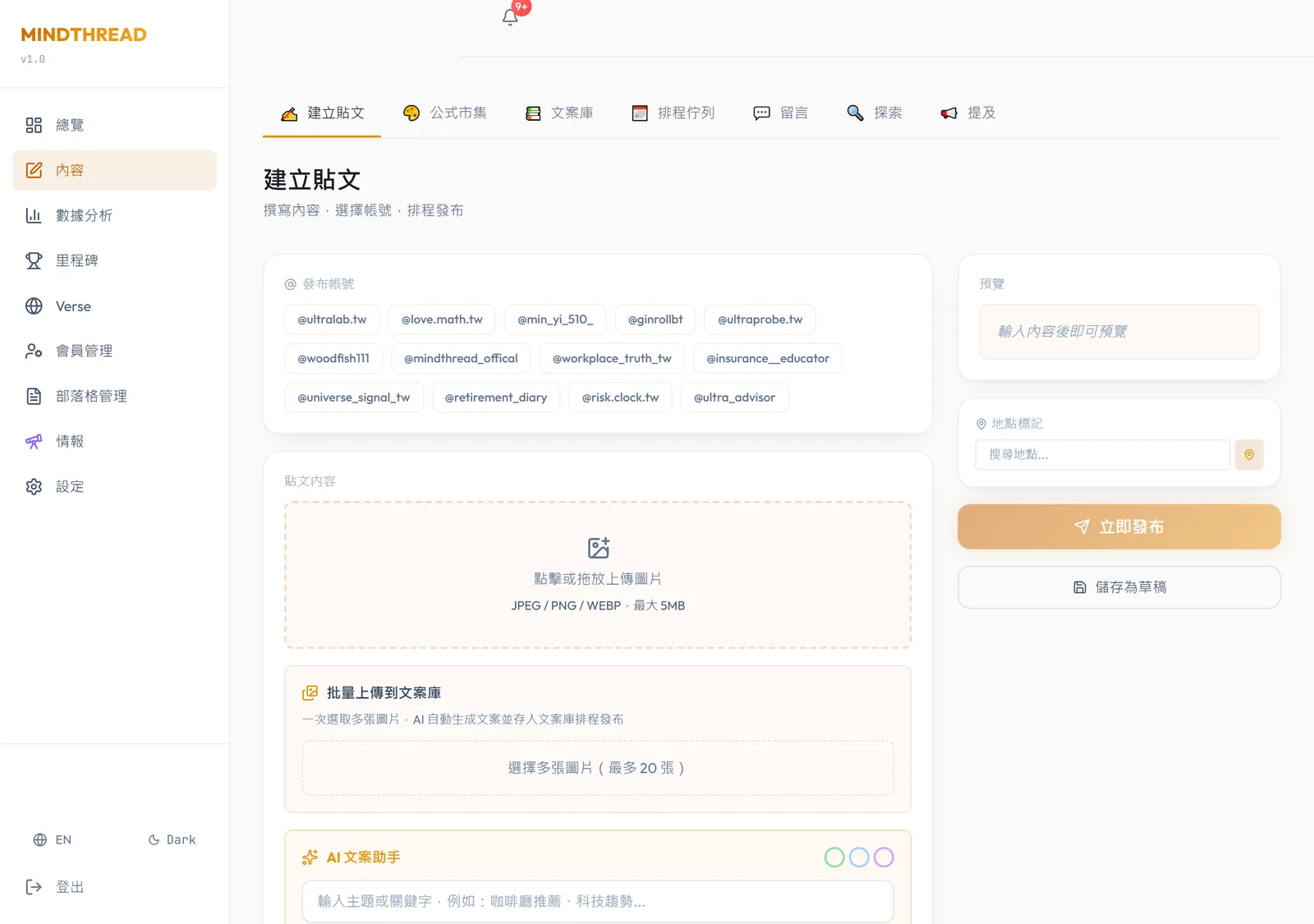
- 排程 + 文案庫(Scheduling):先寫好 50 篇放進文案庫,系統每天按排程自動發布,你只需要一週上線一次。
- 圖片看圖生文與發圖:上傳產品照片,AI 辨識內容並生成品牌風格文案,圖文一起發布到 Threads。
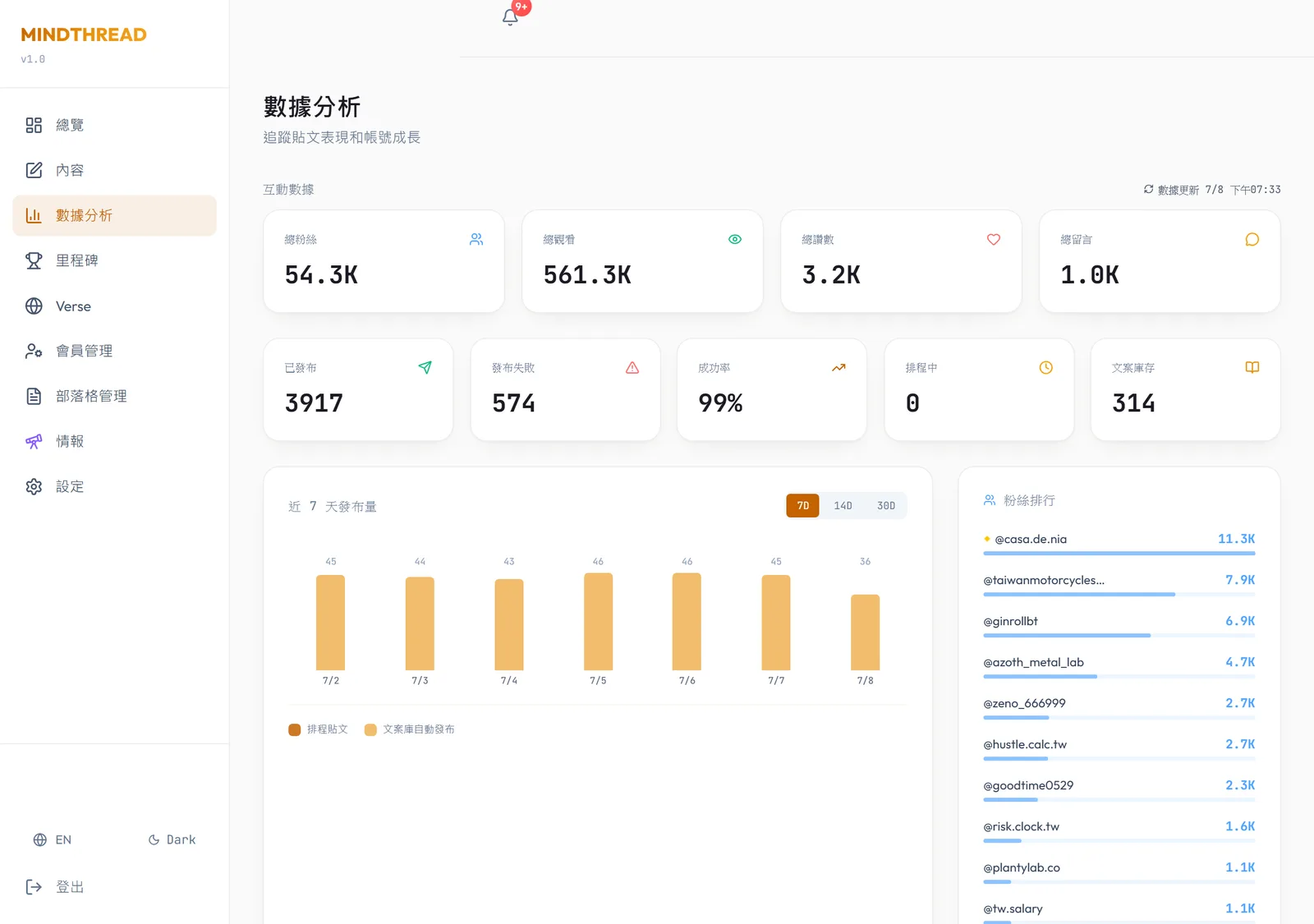
- 數據儀表板(Analytics):觀看、按讚、回覆、轉發、引用一目了然,自動產生週報。
- 授權自動續期:用 Meta 官方授權登入一次,到期前系統自動續期,你不用重新登入。
自動海巡:Threads 自動留言、自動按讚、自動發文與發圖
自動海巡會用 AI 掃描 Threads 的「為你推薦」動態,找出符合你主題與關鍵字的貼文,主動出擊,幫你把帳號帶到潛在客戶面前。它是脆脆發這類瀏覽器工具的正規升級版:官方 API 合規核心搭配瀏覽器海巡,多帳號共用同一份額度,內容由伺服器逐則即時生成。
- 自動留言(切題):每一則回覆都由伺服器針對該貼文即時生成,切題有溫度,不是預先寫好的罐頭句。每則留言都由我們的伺服器即時產生,被改過的擴充程式沒辦法自己生出內容。
- 自動按讚:對符合主題的貼文順手按讚,自然累積曝光與互動。
- 自動發文與發圖:海巡同時能自動發布原創貼文,並支援帶圖發文,讓帳號在互動之外持續產出內容。
- 鎖定地區(Region Targeting):可設定只與標記在指定地區的貼文互動,例如只鎖定香港,讓在地經營更精準。
- 多帳號共用額度池:留言、按讚、發文、發圖四種動作共用同一份每日點數額度,多個帳號一起分配,額度隨方案附送,不夠可按量加購。
- 隨時可停:每日額度用完自動停止,你也可以隨時關閉,不啟用就完全不受影響。
誠實揭露:自動海巡跑在你自己的瀏覽器擴充上,不經 Meta 官方 API,屬於平台使用條款的灰色地帶。它需要你自行開啟,風險與使用條款在功能頁清楚載明。我們不會宣稱海巡「零封號風險」;如果你只想走官方 API,自動回覆、排程、數據這條線不受影響。
如何設定自動海巡(3 步驟)
- 安裝瀏覽器擴充並登入:在你自己的 Chrome 瀏覽器安裝 MindThread 海巡擴充,用你的帳號登入。海巡不經官方 API,為選用功能,不啟用完全不受影響。
- 設定主題、關鍵字與鎖定地區:填入你要觸及的主題或關鍵字,AI 只對符合的貼文互動;可開啟鎖定地區,例如只跟香港的貼文留言、按讚。
- 設定每日額度並啟用:選擇每日點數額度,留言、按讚、發文、發圖四種動作共用同一池。內容逐則由伺服器即時生成,額度用完自動停、隨時可關。
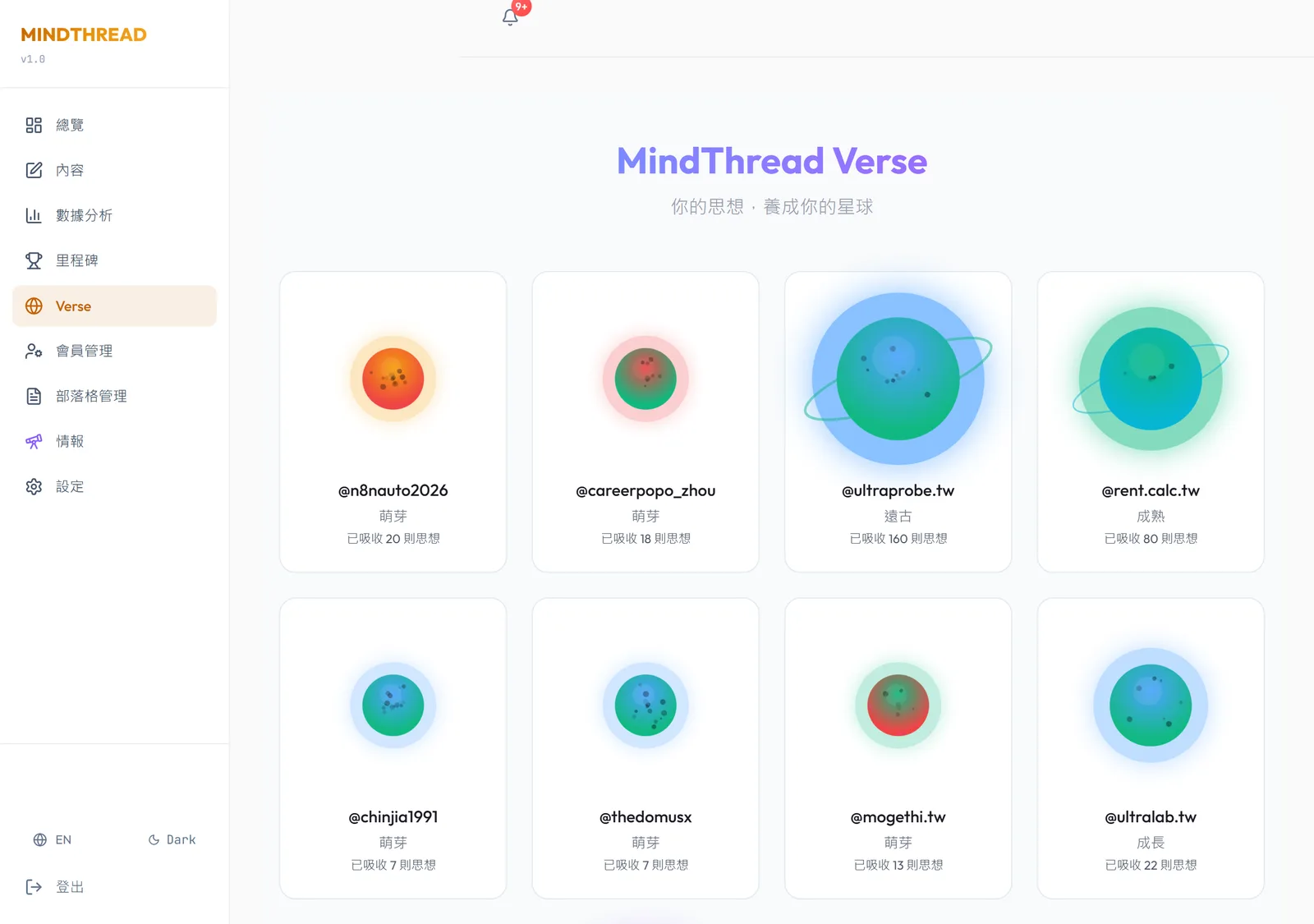
真實產品,App 內實拍畫面
以下都是 MindThread 正式運行中的真實畫面,不是示意圖或占位圖。註冊帳號後即可直接在網站上使用完整產品。
建立在 Google Cloud Platform 上
- Google Gemini:AI 文案生成、品牌語調建模、批次生成、上下文感知的自動回覆。
- Cloud Firestore:即時 NoSQL 資料庫,管理所有帳號與數萬份內容文件。
- Firebase Authentication:Google OAuth,安全且可擴展的使用者管理。
- Firebase Cloud Messaging:推播通知,即時提醒留言、標註與發布狀態。
- Serverless 架構:零停機部署、自動擴展、OAuth 2.0 Token 自動續期。
3 步驟,3 分鐘上手
- 一鍵授權帳號:在 Meta 官方頁面登入,OAuth 安全授權,不需要密碼,3 秒完成。
- 設定你的 AI:告訴 AI 你的品牌風格與回覆語調,設定排程時間與文案庫;需要時開啟自動海巡並設定主題、關鍵字與鎖定地區。
- 交給排程:AI 依排程發文、回覆你貼文下的留言,海巡要你自己打開;每週看一次週報調整方向。
方案與價格
| 方案 | 價格 | 帳號數 | 每日發文 | 每日海巡額度 |
|---|---|---|---|---|
| Free 免費版 | NT$0 | 1 | 3 篇/日 | 10 則/日 |
| Connect(營運) | NT$990/月 | 3 | 無限 | 300 則/日 |
| Pro | NT$1,990/月 | 最多 10 | 無限 | 500 則/日 |
| Business | NT$5,990/月 | 最多 50 | 無限 | 1,500 則/日 |
「無限」指 MindThread 不另設篇數上限,每個帳號仍受官方每 24 小時 250 則上限。
海巡加購包(多帳號共用):可在方案附送額度外加購每日 +100、+300、+1,000 則,月繳、半年繳(約 9 折)或年繳(約 8 折)。
註冊即有 7 天 Connect 等級試用 · 無需信用卡 · 隨時可取消 · 年繳約 9 折 · 加密貨幣以美元標價收取 · 付款後由 Portaly 開立電子發票
常見問題
- Threads 可以自動留言嗎?
- 可以。MindThread 的自動海巡會用 AI 掃描 Threads 動態中符合你主題或關鍵字的貼文,自動發出切題留言,每一則都由伺服器即時生成、不是罐頭句。海巡跑在你自己的瀏覽器擴充上、不經官方 API,屬平台條款灰色地帶,為選用功能,不啟用完全不受影響。
- 用 Threads 自動化工具會被封號嗎?
- 分兩條線看。發文、排程、AI 自動回覆、數據都走 Meta 官方 Threads API 與 OAuth 2.0,是官方開放的用法,但內容違反 Meta 規範一樣可能被限制。另一條自動海巡跑在你的瀏覽器、不經官方 API,屬平台條款灰色地帶、有風險,功能頁已清楚載明,為選用、可隨時關閉。我們不宣稱海巡零風險。完整說明見部落格〈Threads 自動發文會不會被封號?官方 API、OAuth 與瀏覽器工具怎麼分(2026)〉。
- 自動海巡是什麼?
- 海巡是 MindThread 的主動觸及功能:AI 掃描 Threads 動態中符合你主題的貼文,自動切題留言、自動按讚、自動發文與發圖,把帳號帶到潛在客戶面前。四種動作共用同一個每日點數額度,內容逐則由伺服器生成。跑在瀏覽器擴充、屬條款灰色地帶,為選用功能,可隨時關閉。
- MindThread 可以自動按讚嗎?
- 可以。自動按讚是海巡的動作之一,AI 對符合你主題的貼文自動按讚,與自動留言、自動發文、發圖共用同一個每日點數額度,額度用完自動停、隨時可關。此功能跑在你自己的瀏覽器擴充上、不經官方 API,屬平台條款灰色地帶,為選用。
- Threads 可以排程自動發文嗎?
- 可以,分兩種。官方排程發文走 Meta 官方 API:先把貼文放進文案庫,系統按排程自動發布,多帳號可各設策略。海巡則能主動自動發原創貼文與圖片到動態。AI 文案由 Google Gemini 生成。免費方案每日 3 篇,付費方案無限發文(每個帳號仍受官方每 24 小時 250 則上限)。若在問官方 App 原生排程夠不夠、何時才需要第三方,見部落格〈Threads 原生排程夠不夠?什麼時候才需要第三方工具(2026)〉(https://mindthread.tw/blog/threads-native-schedule-vs-third-party-2026)。
- MindThread 和脆脆發有什麼不同?
- 依我們的理解,脆脆發偏瀏覽器海巡類工具(對方官網未公開技術路徑,此為對照而非定論),價位約 NT$300/月,以其官網當下方案為準。MindThread 除了瀏覽器海巡,核心是 Meta 官方 API 合規線(自動回覆、排程、數據),另有走官方 API、要你自己打開的雲端海巡。主要差異:多帳號共用同一額度池、每則留言由伺服器即時生成可防重放、可鎖定地區互動。脆脆發官網另提供代操經營,MindThread 是自助 SaaS、不做代操。海巡為選用,其中瀏覽器海巡屬平台條款灰色地帶,我們不宣稱零風險。完整比較表與怎麼選,見部落格〈MindThread 和脆脆發差在哪?Threads 自動化工具怎麼選(2026)〉。
- MindThread 和 ViralArc 有什麼不同?
- 依 ViralArc 官網,它偏多平台社群 GTM:海巡大師搜尋 Threads 與 X、IG/FB 留言轉私訊、潛客名單與成效追蹤。MindThread 深耕 Threads,主幹走 Meta 官方 Threads API(排程、自己貼文下的自動回覆、數據),海巡為選用,其中瀏覽器海巡屬平台條款灰色地帶,我們不宣稱零風險。ViralArc 的價位以其官網當頁為準。完整比較表與怎麼選,見部落格〈MindThread 和 ViralArc 差在哪?Threads 自動化怎麼選(2026)〉。
- 海巡可以只跟特定地區的貼文互動嗎?
- 可以。海巡的鎖定地區功能讓 AI 只對標記在你指定地區的貼文互動,例如只跟香港的貼文留言、按讚,適合在地服務、區域行銷、跨境經營。此設定屬海巡功能,跑在你自己的瀏覽器擴充上、不經官方 API,為選用功能,可隨時關閉。
- Threads 多帳號要怎麼管理?
- MindThread 讓你在同一個後台管理多個 Threads 帳號:免費 1 個、Connect(營運)3 個、Pro 最多 10 個、Business 最多 50 個。每個帳號有獨立人設、排程與數據。海巡每日額度為共用池,可跨帳號分配。全程 OAuth 官方授權,不需要提供密碼。
- 什麼是黃金 3 分鐘自動回覆?
- Threads 貼文剛發出的前幾分鐘,留言的人和讀者都還在線上。MindThread 的 AI 自動回覆會在留言出現的黃金 3 分鐘內回應,趁人還在就把對話接住(黃金 3 分鐘是營運做法,不是 Meta 公布的演算法規則)。此功能走 Meta 官方 Threads API 與 OAuth 2.0,是官方開放的用法,只回覆你自己貼文底下的留言;內容違反 Meta 規範一樣可能被限制。
- MindThread 多少錢?
- 免費方案 NT$0(1 帳號、每日 3 篇、10 則海巡);Connect(營運)NT$990/月(3 帳號、每日 300 則海巡);Pro NT$1,990/月(最多 10 個帳號、每日 500 則海巡);Business NT$5,990/月(11-50 帳號、每日 1500 則海巡)。都含 7 天免費試用、免信用卡、隨時取消,年繳約 9 折。
- 需要提供我的 Threads 密碼嗎?
- 完全不需要。MindThread 使用 OAuth 2.0 授權,你在 Meta 官方頁面登入授權,我們只取得 API 操作權限,絕不接觸你的密碼。Token 在 60 天到期前自動續期,不需手動維護。這是官方合規的授權方式。
- 可以隨時取消嗎?
- 可以。所有付費方案都能隨時取消,取消後到帳單週期結束前仍可使用,不綁約、不收取消費。新用戶享 7 天免費試用、免信用卡,年繳約 9 折。海巡加購包(每日 +100、+300、+1,000)可依需求月繳或年約。
- 怎麼用 MindThread 的 API?
- 到設定建立 API 金鑰,以 Bearer 呼叫 /api/v1;自己操作或讓 agent 接都行,文件見開發者頁。
- API 金鑰可以停用嗎?
- 可以。在設定隨時停用金鑰,立即失效,之後的呼叫一律被拒;最多同時 5 把有效金鑰。
- 海巡是走官方 API 嗎?
- 分兩種。瀏覽器海巡跑在你的擴充、不經官方 API,屬灰色地帶,選用可關;雲端海巡走官方 API,要你自己打開。選型說明見部落格〈Threads 自動化怎麼選:官方 API 還是瀏覽器擴充?(三層濃縮・2026)〉。
- NT$990 的方案現在叫什麼?
- 叫 Connect(營運),原名業務員版。NT$990/月,3 個帳號、每日 API 500 次、可全域暫停。
- 可以一鍵暫停所有自動動作嗎?
- 可以。在設定開啟全域暫停,排程發文、自動回覆、雲端海巡都會停,關掉就恢復,各帳號設定不變。
延伸閱讀:Threads 自動發文工具怎麼選(2026) · 完整常見問題與方案
開發者 API
Agent-Ready API v1:在 MindThread 之上打造 AI agent 與自動化流程。
每個方案含每日 API 次數:Free 50、Connect 500、Pro 1,000、Business 5,000。金鑰可隨時停用;雲端海巡這類自動對外動作要你自己打開。
- POST /api/v1/content/generate:AI 文案生成
- POST /api/v1/content/schedule:排程發文
- POST /api/v1/content/generate-and-schedule:一次生成加排程
- GET /api/v1/analytics/insights?account_id=xxx:帳號成效數據
- GET /api/v1/accounts:列出已連結帳號
API 文件:mindthread.tw/developers
打造 MindThread 的人
- 謝民義(Min Yi Xie):Founder & CEO。從 0 到 1 打造整套系統,前端、後端、AI 串接與自動化流程一手包辦。查看 LinkedIn →
- 雨吟(Yu-Yin):Co-Founder / Operations。負責客戶溝通、品牌策略與內容規劃,讓技術變成客戶聽得懂的價值。
關於公司
- 公司:傲創實業(Ultra Creation)
- 統一編號:92276454
- 成立:2023 年,台灣(MindThread 2026 年推出)
- 地點:台灣
- 聯絡:contact@ultralab.tw
- 產品:MindThread(Threads 自動化 SaaS)、Ultra Advisor(財務 SaaS)、Ultra Lab(AI 技術)
- 技術:React、TypeScript、Firebase、Vercel、Google Gemini AI、Meta Threads API
平台數據
- 19,000+ 篇經 MindThread 發出的貼文(數據截至 2026-10-01)
- 270 個 Threads 帳號(含已停用;啟用中 176,數據截至 2026-10-01)
- 5,400,000+ 次累計觀看(僅計經 MindThread 發出的貼文;逐篇加總 Threads 回報的觀看數,數據截至 2026-10-01)
- 100,000+ 代管帳號粉絲合計(啟用中帳號;各帳號最近一次從 Threads 同步的粉絲數加總,數據截至 2026-10-01)
- 累計收到 6,300+ 則留言,6,000+ 則已回覆(數據截至 2026-10-01)
MindThread in English: a hosted API for Threads, for people and AI agents
MindThread is a Threads automation platform by Ultra Creation (Taiwan), built on Meta's official Threads API and OAuth 2.0. People and AI agents use it to schedule and publish Threads posts for 1 to 50 accounts, through the dashboard, a REST API or an MCP server.
- REST API and MCP server: OpenAPI 3.1 spec at /api/v1/openapi.json, MCP endpoint at /api/mcp. Daily calls per key: Free 50, Connect 500, Pro 1,000, Business 5,000. Keys can be disabled at any time. Connect from about US$32/mo (billed as NT$990).
- Permissions, approvals and content rules: set each action on a key to allow, ask or deny. When a key asks, you approve in the web app or, if you turn it on, from a one-time link sent by email or web push. Content rules cover length limits, no hashtags or calls to action, banned phrases and an approved list of facts and numbers.
- Multi-account scheduling for 1 to 50 accounts, each with its own AI persona, schedule, posting time zone and analytics (set in the dashboard).
- AI content generation powered by Google Gemini, with a content library queue and a per-account choice of English or Traditional Chinese.
- AI auto-reply to comments on your own posts through the official Threads API, no password required.
- Analytics and weekly reports, with Threads token renewal handled for you.
- Global pause: stops scheduled posts, auto-replies, cloud patrol and API calls that publish immediately. Disabling an API key blocks that key's next call; posts it already scheduled stay queued.
FAQ (English)
- Is MindThread affiliated with Meta, and can my account get banned?
- MindThread is an independent product by Ultra Creation, not a Meta product. Posting, scheduling, replies and analytics go through Meta's official Threads API with OAuth 2.0: we never see your password and use no unofficial methods for them. An account can still be restricted if what you post breaks Meta's rules, so no tool can promise zero risk.
- Can an AI agent post to Threads for me?
- Yes. Create an API key in Settings and connect your agent through the REST API or the MCP server. A new live key asks you before anything is published right away, and you can set it to ask before scheduled posts too. Content rules limit what the agent may write (set them to block violations), and you can disable a key at any time. Docs: https://mindthread.tw/developers
- How is MindThread different from building on the Threads API directly?
- MindThread is a hosted layer on Meta's official Threads API. It handles the Threads OAuth connection and token renewal, so you and your agents call one API instead of setting up your own Meta app for the Threads API. On top of posting and scheduling it adds per-key permissions with owner approval, content rules, daily limits per key and the option to disable any key.
- How much does MindThread cost?
- Free (1 account, 3 posts/day, 3 AI generations/day, 50 API calls/day per key); Connect (about US$32/mo, billed as NT$990: 3 accounts, 500 API calls/day per key); Pro (about US$64/mo, billed as NT$1,990: up to 10 accounts, 1,000 API calls/day per key); Business (about US$193/mo, billed as NT$5,990: up to 50 accounts, 5,000 API calls/day per key). New sign-ups get a 7-day trial with Connect's account and post limits and no credit card; API calls stay at 50 a day per key until you subscribe. Annual billing is about 10% off.
- Do I need to share my Threads password?
- No. You sign in on Meta's own page through OAuth 2.0, and MindThread only receives the API permissions you grant, never your password.
- What if I need more than 50 accounts?
- Business plans can add accounts: +10 accounts for NT$1,200 (about US$39) for 31 days, paid once with no auto-renewal, stackable up to +50 (100 accounts in total). We remind you 7 days before it ends, and a renewal starts when the current one ends. For more accounts, email contact@ultralab.tw.
- Can I cancel anytime?
- Yes. There are no contracts or cancellation fees. Plans are paid in advance, and you keep access until the end of the period you paid for.
- How do I use the MindThread API?
- Create an API key in Settings, then call /api/v1 with a Bearer token or point an MCP client at /api/mcp. Docs: https://mindthread.tw/developers
- Can I disable an API key?
- Yes. Revoke a key in Settings at any time; its next call is rejected right away. Posts that key already scheduled stay in the queue until you cancel them or turn on global pause. Up to 5 active keys per member.
- Is the browser auto-patrol extension available outside Taiwan?
- No. The browser auto-patrol extension is offered only to customers in Taiwan. Everything else, including posting, scheduling, auto-reply, analytics and the API, is sold worldwide.
- What does the Connect plan include?
- Connect: 3 Threads accounts, 500 API calls per day per key and global pause, for about US$32/mo (card payments are billed as NT$990/mo).
- Can I pause all automation at once?
- Yes. Global pause in Settings stops scheduled posts, auto-replies and cloud patrol (replies to keyword search results through the official API) until you turn it off. It also blocks API and MCP calls that publish immediately (they return 409 globally_paused). Disabling an API key rejects that key's next call right away, but posts it already scheduled stay queued until you turn on global pause or cancel them.
Full FAQ: MindThread FAQ, 21 questions plus plain-text pricing · comparison with Buffer, Hootsuite, Later, Metricool and Typefully